Summary
Workspaces host the data and users on the platform. They must have a Master workspace and Mirror workspaces (per party).
We've set out how to create the Master and Mirror workspaces below.
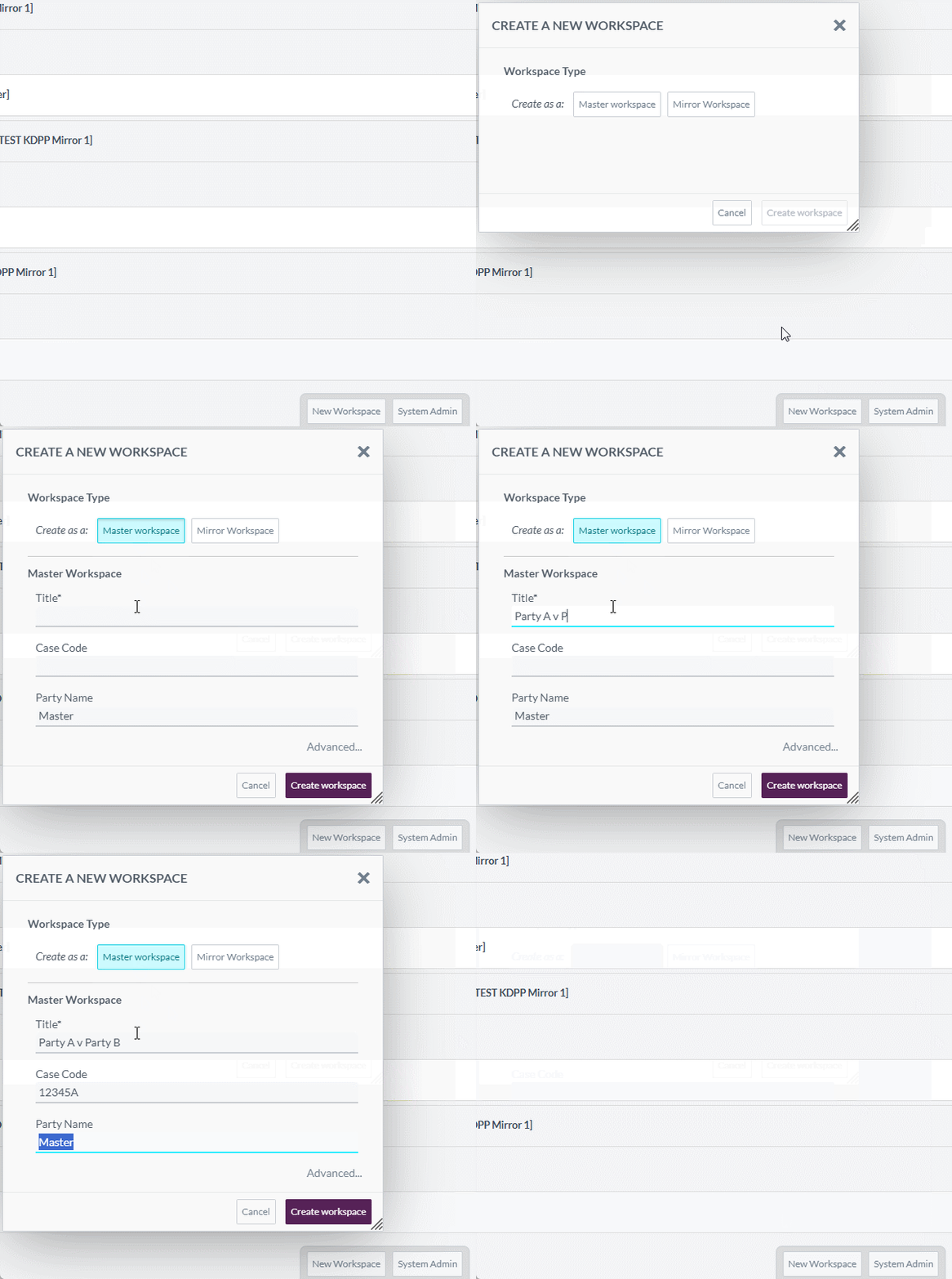
Master Workspace
To create a Master workspace:
- Navigate to Home and press New Workspace
- From Create a New Workspace window, under Workspace Type press Master Workspace
- Fill in the metadata fields that appear:
- Title - Name of the case
- Case Code - Opus case code value for the matter
- Party Name - Name of the party workspace belongs to. Set to Master by default (amend as needed)
- Press Create Workspace to create the Master workspace
- The window should change to the Admin page of the new workspace once complete
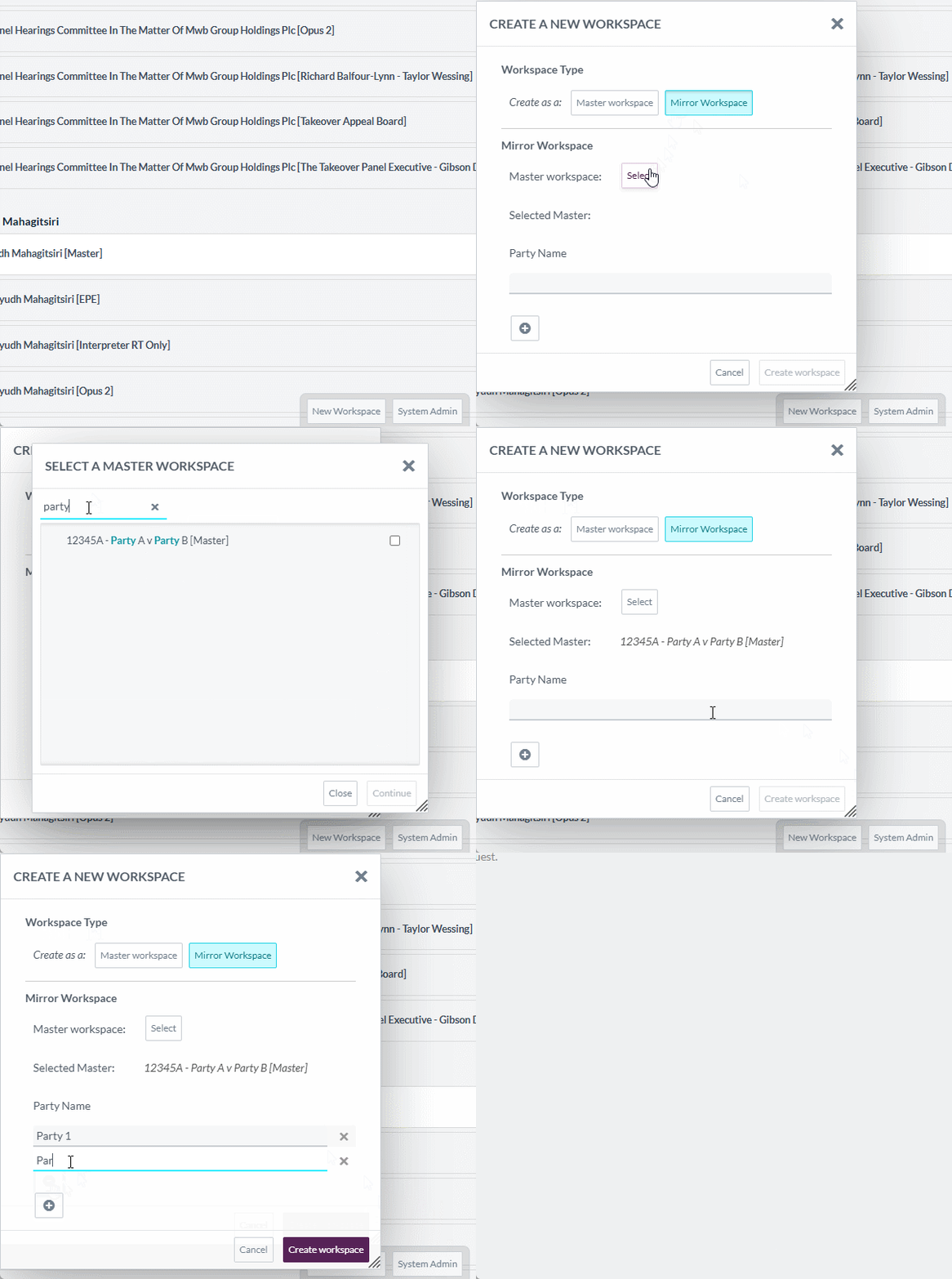
Mirror Workspaces
To create Mirror workspaces:
- Navigate to Home and press New Workspace
- From Create a New Workspace window, under Workspace Type press Mirror Workspace
- Under Mirror Workspace, press Select to choose the Master workspace the mirrors should be linked to:
- Find - Use the Find bar to search for the Master workspace
- Select Workspace - Tick the relevant tick box and press Continue to confirm the Master
- Review Selected Master value to ensure correct Master is selected
- Fill in the Party Name value
- Additional Workspaces - Press + icon to add further workspaces
- Create Workspace to create the Mirror workspace(s)
- The window should change to the Mirror Sync page once complete